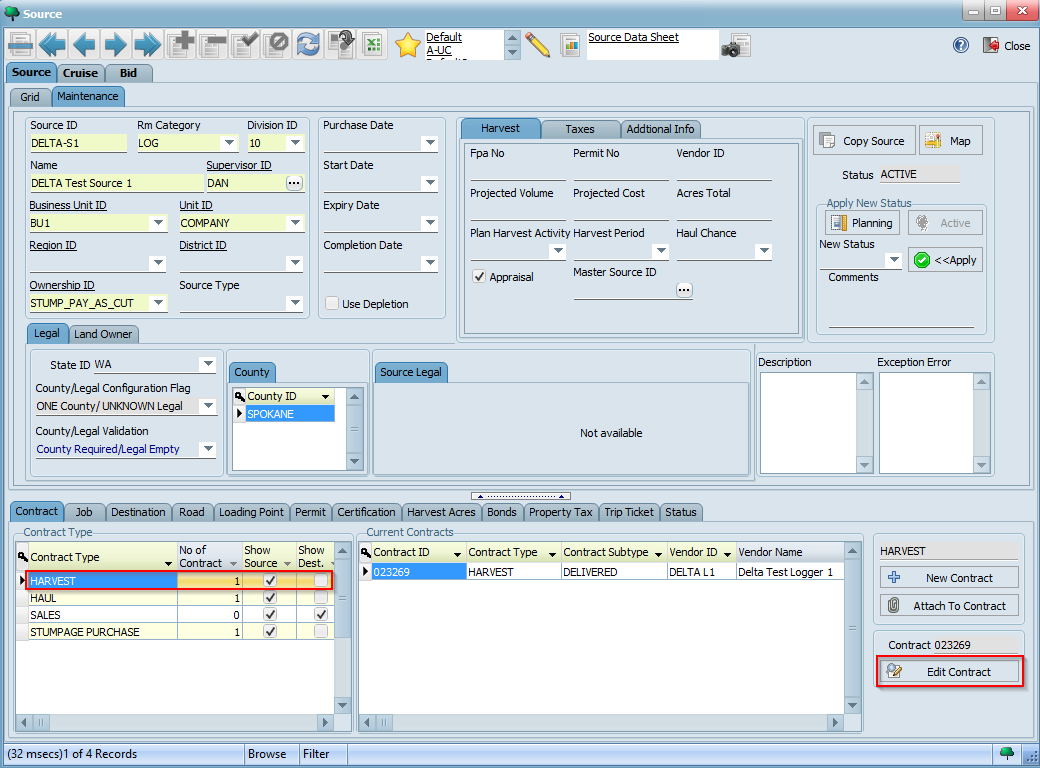
We will now create a few trip tickets that we can use to receive loads in WeighWiz. We will use the harvest contract we created as the primary contract and our logger as the primary vendor. To begin creating trip tickets, navigate to your source and select HARVEST from the list of contract types on the bottom left hand corner. Then, click on the Edit Contract button:
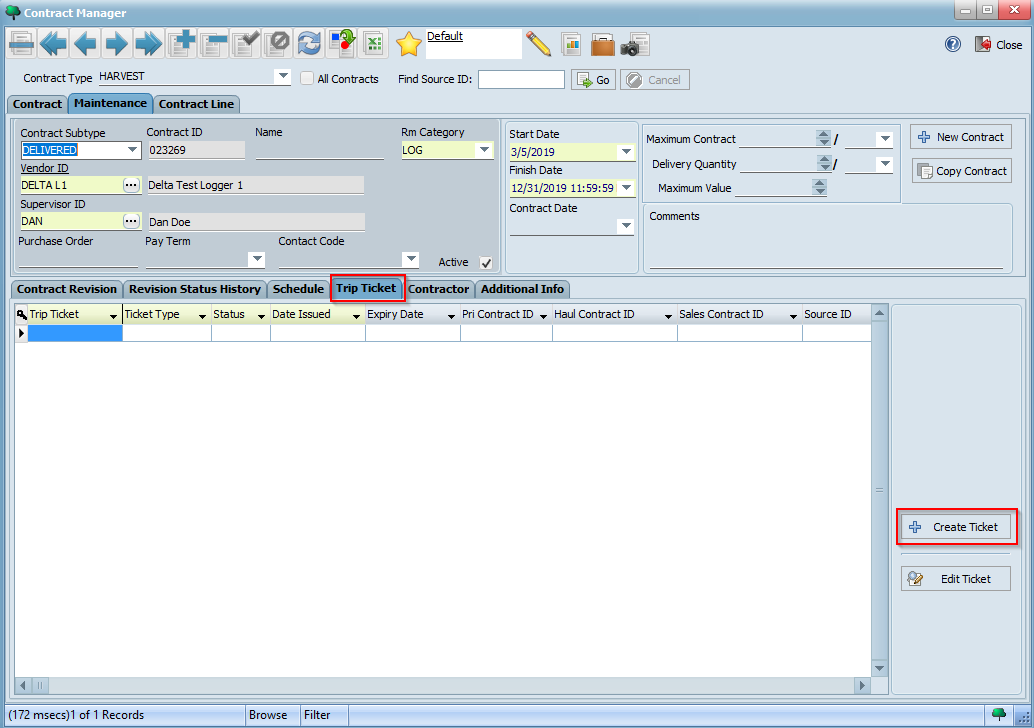
On the Contract Manager screen, click on the Trip Ticket tab and then click on the Create Ticket button:
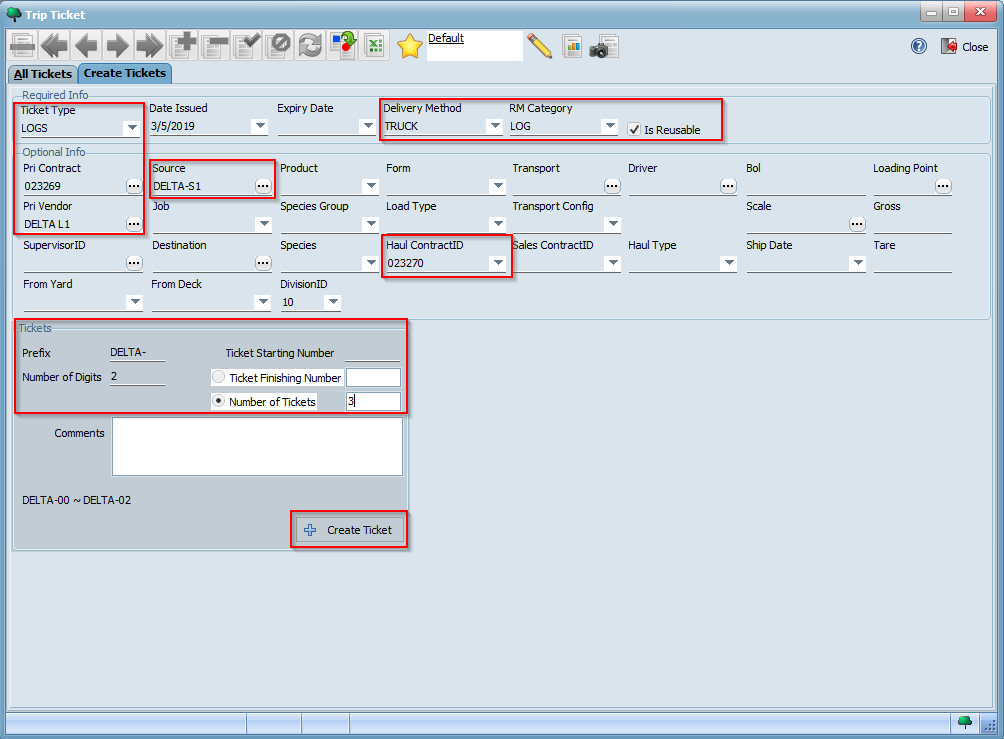
On the Trip Ticket window, fill in the different trip ticket parameters with the values indicated below. The Pri Contract and Pri Vendor fields should be defaulted automatically based on your harvest contact id and logger you associated with it.
Your completed form should look similar to the following. Click the Create Ticket button to create your trip tickets:
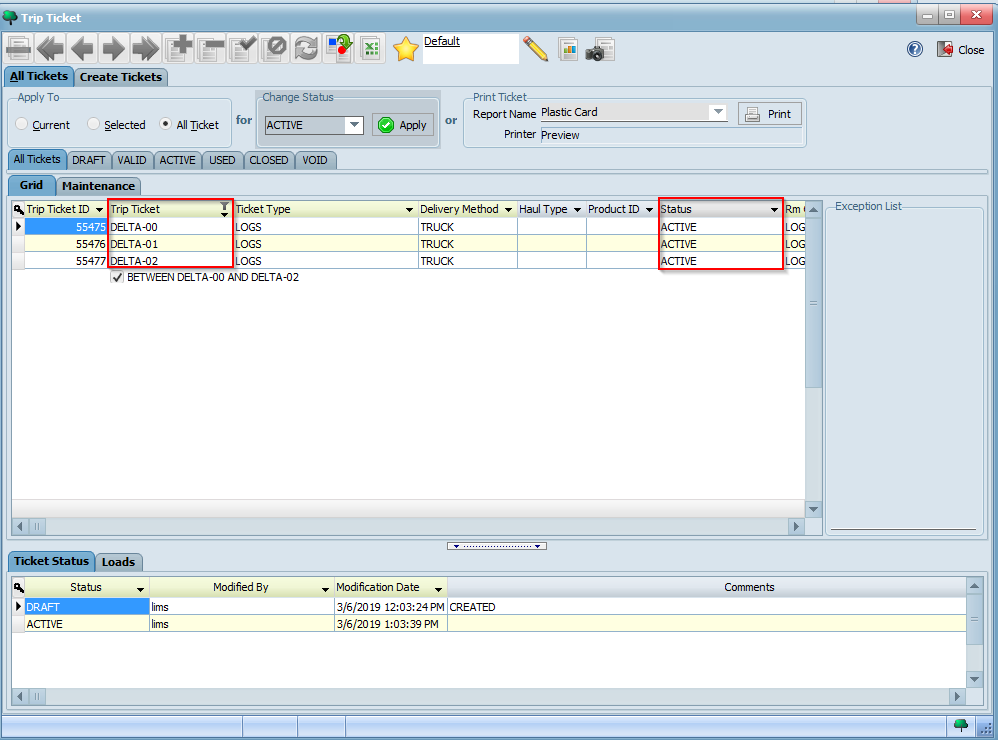
When prompted, confirm that you would like to create these tickets and then click OK. You will now see your newly created tickets under the All Tickets tab. Based on what you learned in the previous tutorial, activate these tickets and confirm they are in ACTIVE status:
You may now use your trip tickets to receive loads in WeighWiz. Using what you learned in the previous tutorial, receive a few loads in WeighWiz based on your configured parameters, wait for them to synchronize to LIMS, and then try to verify them and view their payment information. If you run into errors during verification, try to troubleshoot and methodically resolve them.
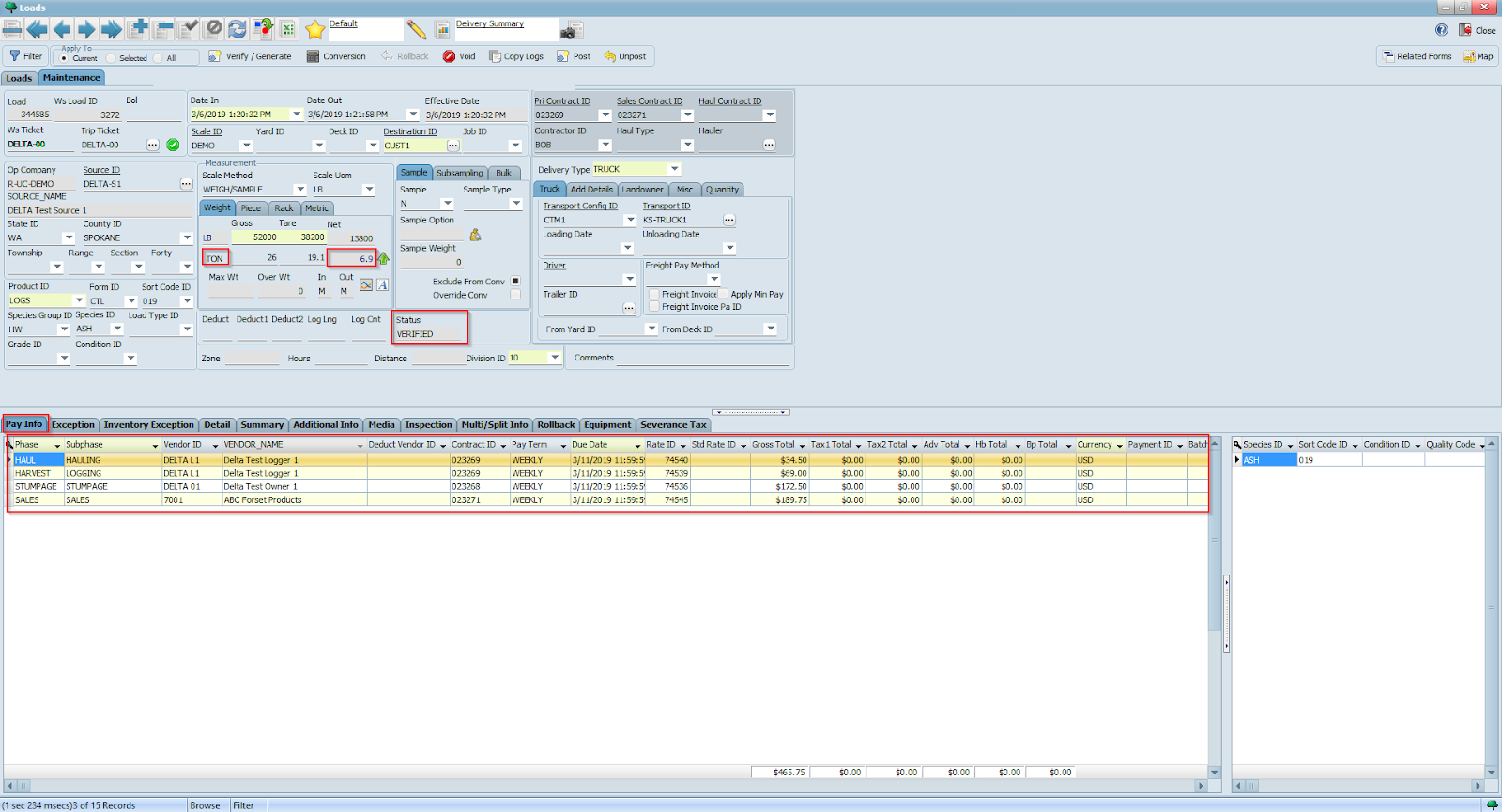
Below is an example of a VERIFIED load with payment information based on our contracts and configured rates on a net per TON basis. Once again, due to a missing sales contract our load did not initially verify and we had to return to our source and attach it to a valid sales contract.