
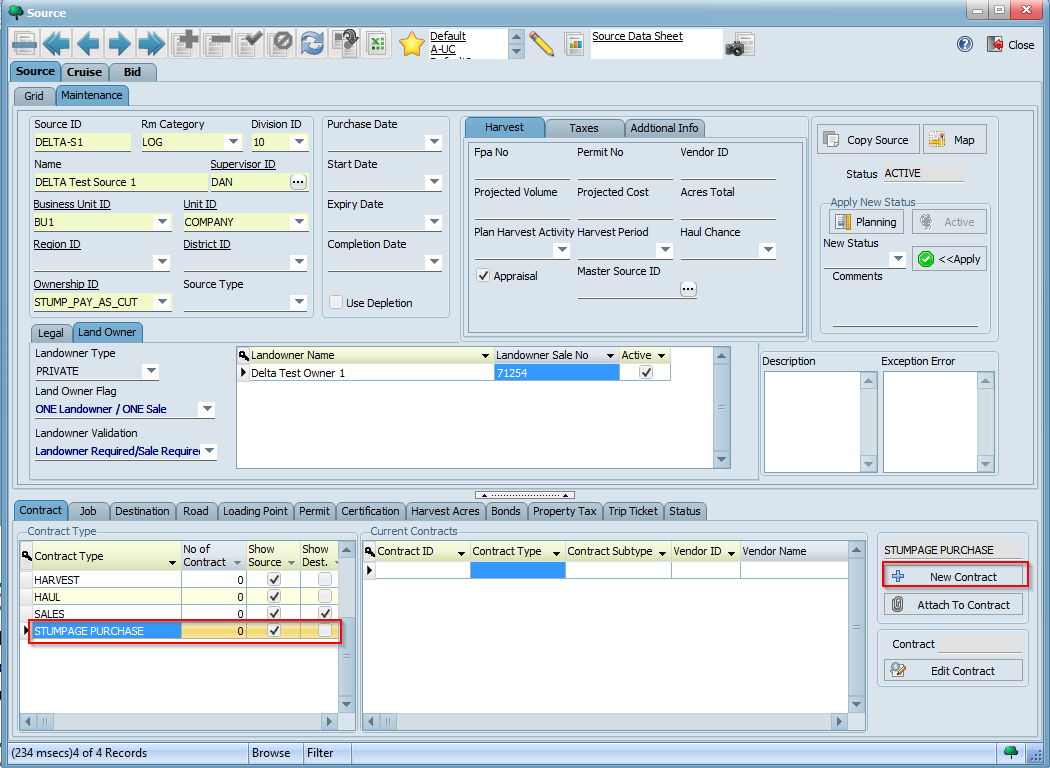
Having created a "Pay-As-Cut" source, we are now ready to create our stumpage purchase contract. To create a stumpage contract for your source, select STUMPAGE PURCHASE from the list of contract types under the Contract tab of the Source screen and then click on the New Contract button:
As we saw in the previous tutorial, this will now open a window where you can configure different parameters for your contract. Observe how the landowner we created earlier is automatically selected since we associated it to the source (note that you may choose to change the landowner by selecting a different one from the list of landowners below):
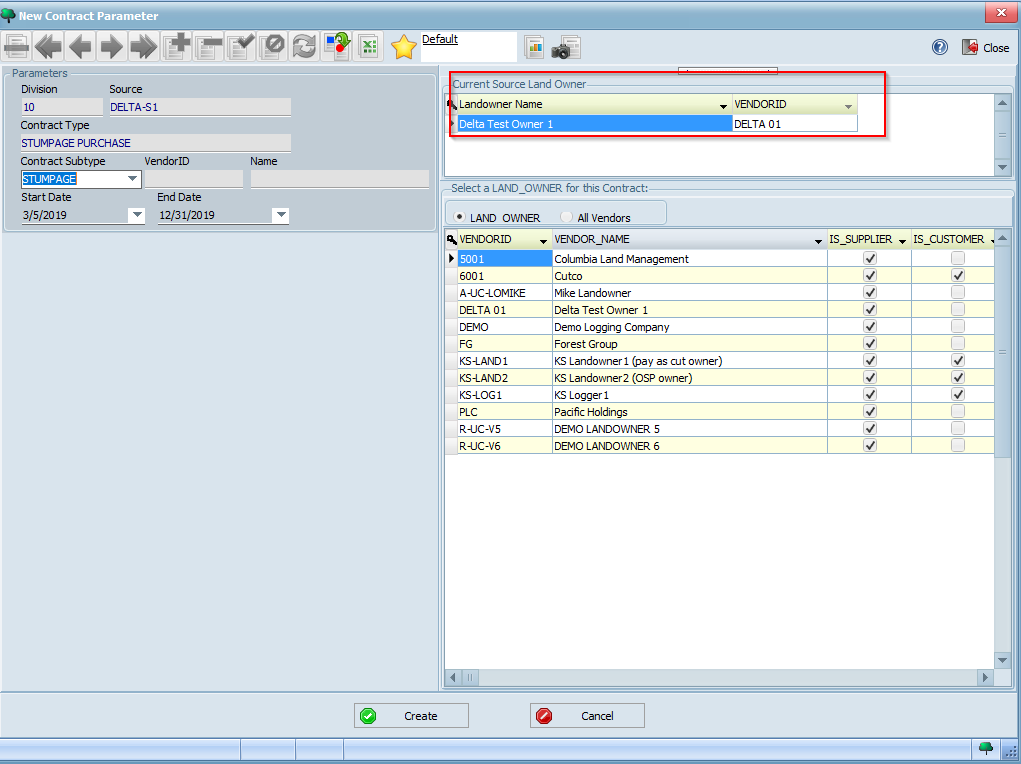
Fill in the different contract parameters with the values indicated below:
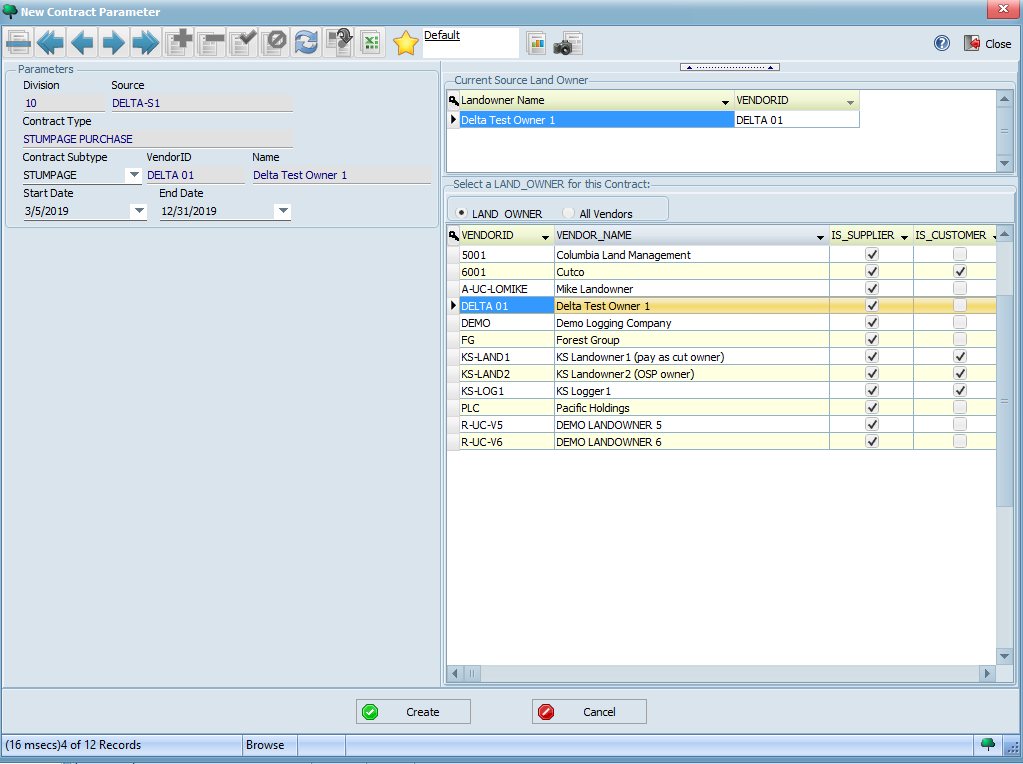
Your completed form should look similar to the following. Click the Create button to create your new contract:
You should now see a message saying your contract was created with the contract number. Click OK. As we saw in the previous tutorial, you will now be redirected to the Contract Manager screen with your contract highlighted. Click on the Maintenance tab to review and/or update any details if you wish.
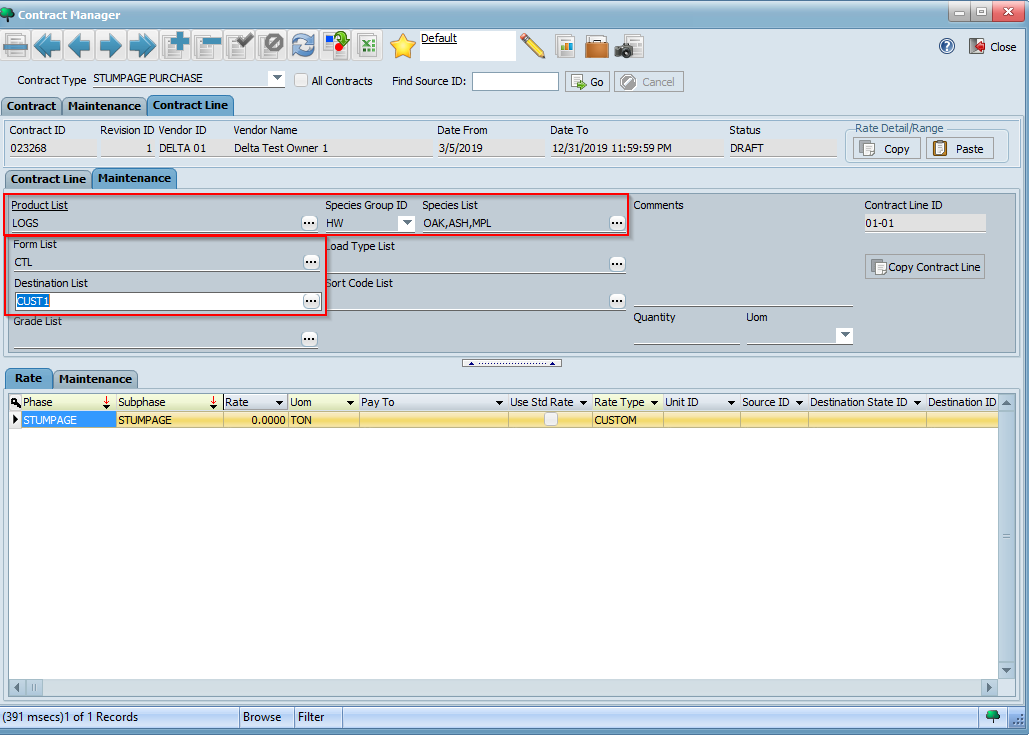
We will now need to enter detailed contract line and rate information for our contract. Click on the Contract Line tab and then the Maintenance tab for the default contract line that was created.
Next, select values for Product List, Species Group ID, Species List, Form List, and Destination List as appropriate and click the button:

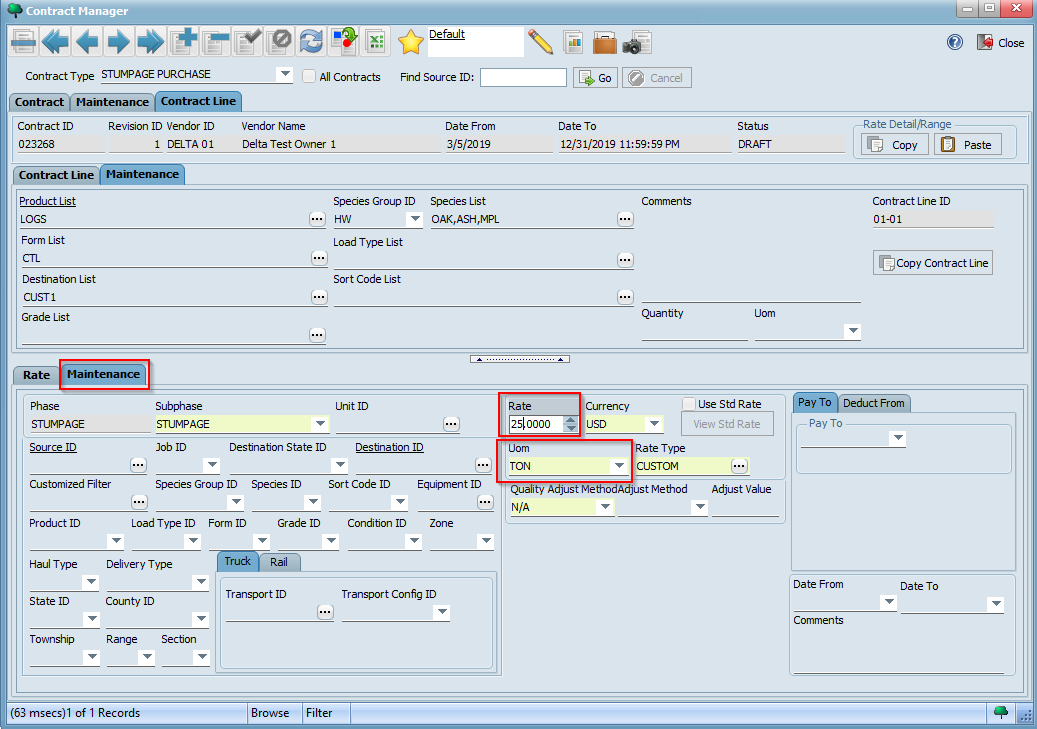
Next, click on the Maintenance tab for Contract Rate to view its details. Then, specify a rate by entering values for Rate and UOM. In the example below, we are defining a rate of $25.00 per TON for the contract line we created:
Click the button to save your contract rate.

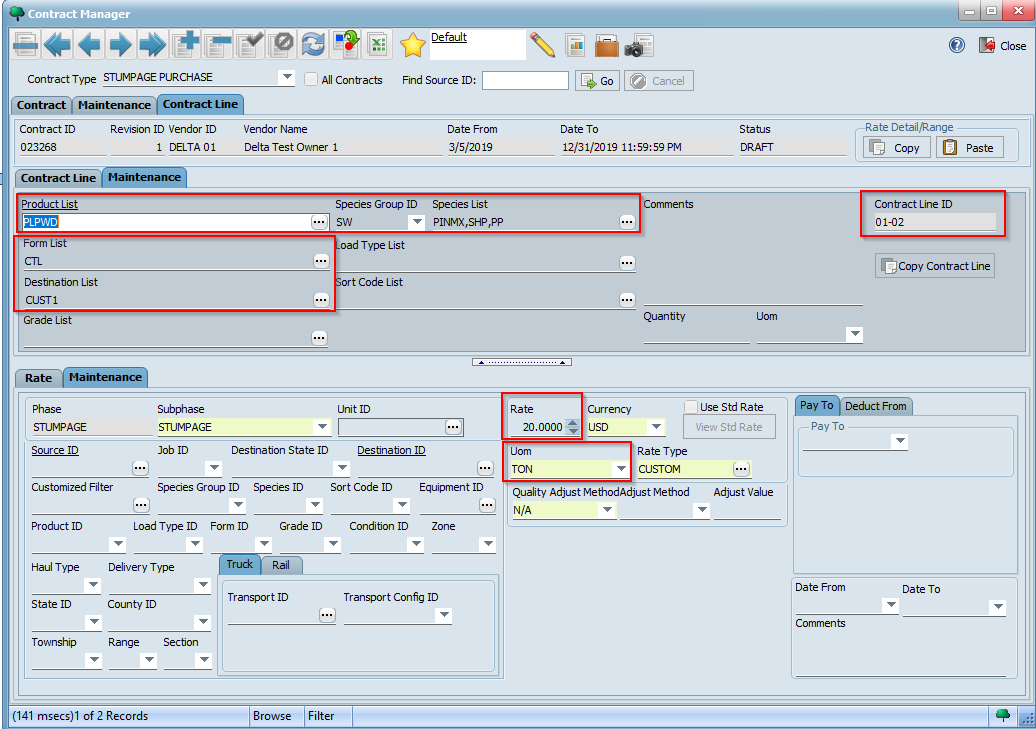
Now, create another contract line using a different combination for Product List, Species Group ID, Species List, Form List, and Destination List. Then, specify a different rate such as $20.00 per TON for this contract line. Below is a sample screenshot of our other contract line and corresponding rate:
Lastly, using what you learned in the previous tutorial, validate and sign your contract so that it is ready for use. Ensure the contract is in SIGNED status:
