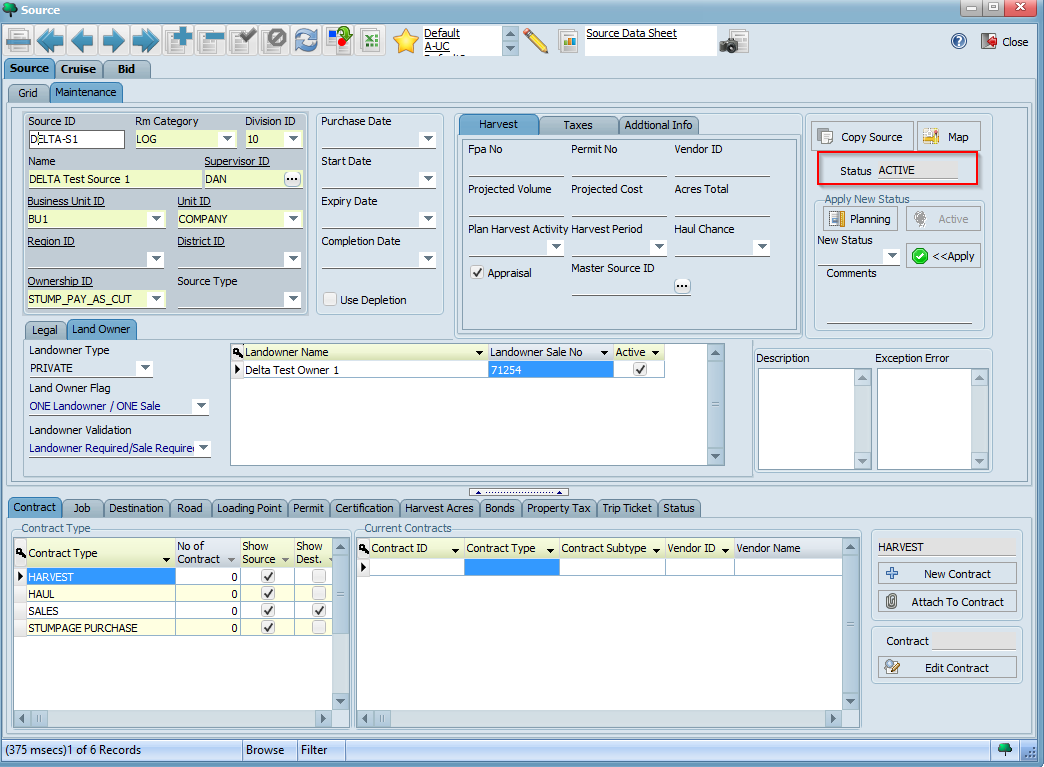
In this section, we will create a "Pay-As-Cut" source whereby owners and loggers are paid on delivery. These are typically on a per ton basis. These sources require a stumpage purchase contract as well as cut and haul contracts which we will create in the following sections.
To set up a "Pay-As-Cut" source, click on the Source icon on the Task pane in LIMS (or on the Source button under the Timber menu). Using the steps outlined in the Setting Up a GATEWOOD Source section of the previous tutorial, create a source by filling in the fields below with the values indicated:
Your completed form should look similar to the following:
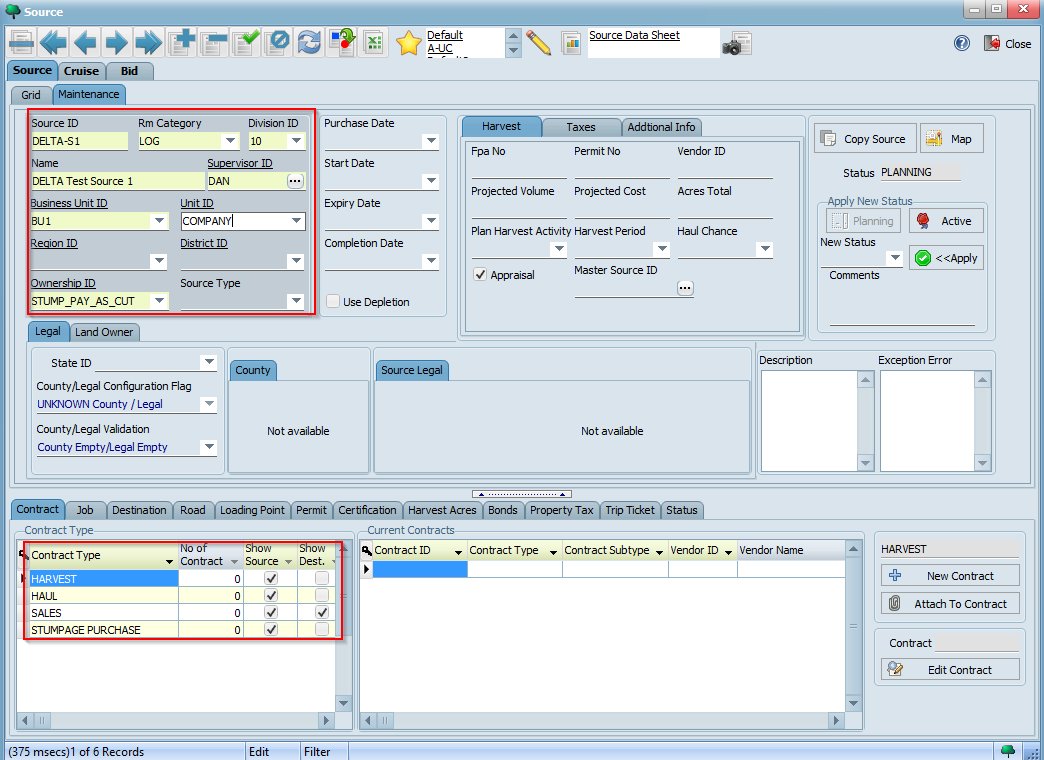
Click the button to save your new source. Observe how four different contract types are available for ths source, namely HARVEST, HAUL, SALES, and STUMPAGE PURCHASE.

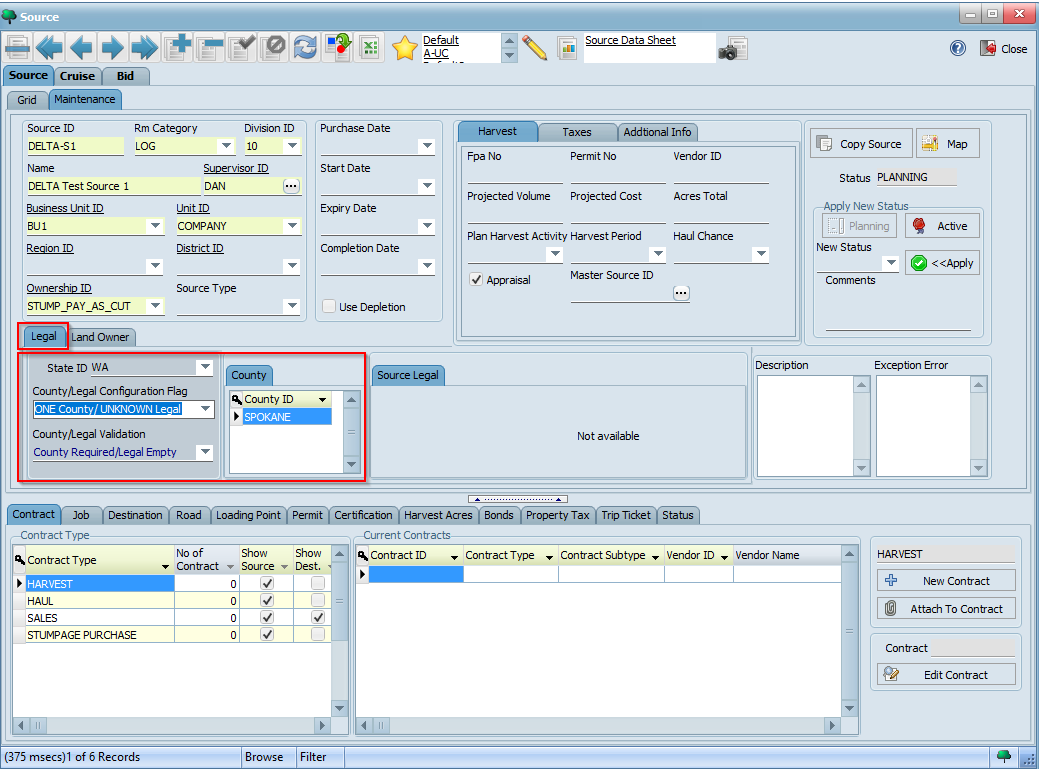
You may optionally choose to enter legal and landowner information at this stage. Legal information is entered under the Legal tab of the Source screen:
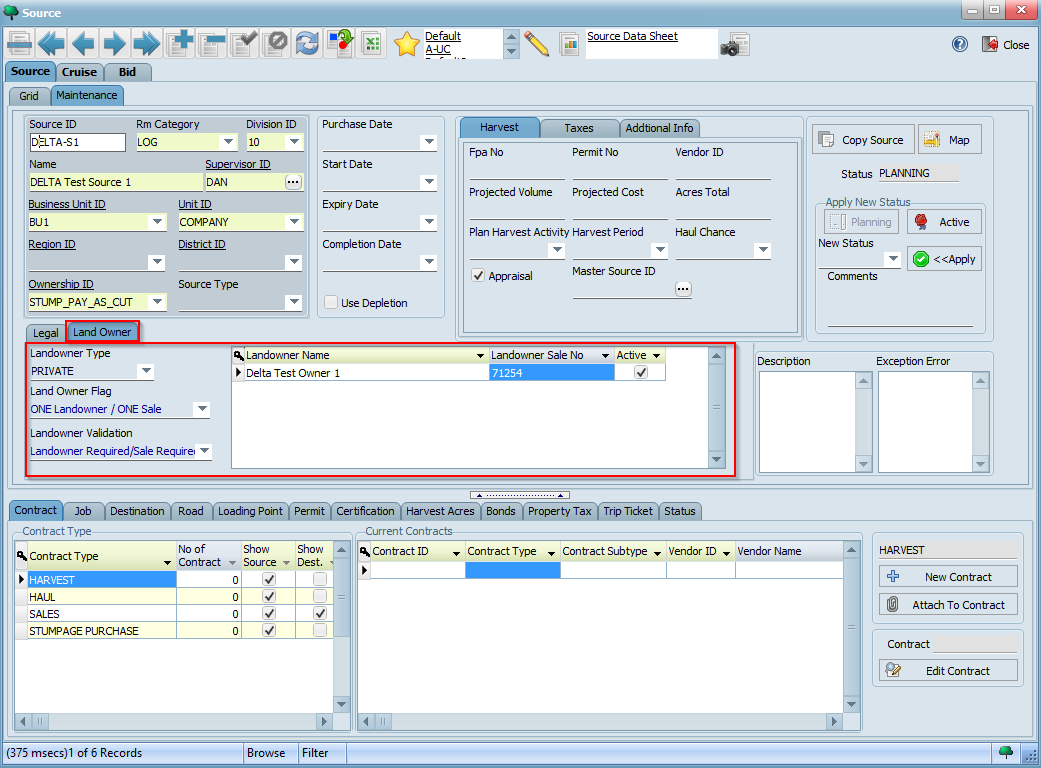
Similarly, landowner information can be specified under the Land Owner tab. In the example below, we are attaching the landowner we created earlier to this source:
Click the button to save your changes. Lastly, click on the Active button under Apply New Status to activate your source ensuring that it changes to ACTIVE status: