
We will begin this tutorial by setting up a landowner, logger, and hauler. Landowners, loggers, and haulers need to be set up as vendors in LIMS. To set up a landowner, click on the Vendor icon on the Task pane in LIMS (or on the Vendor button under the Contract menu). Using the steps outlined in the Setting Up a Vendor section of the previous tutorial, create a vendor by filling in the fields below with the values indicated:
Your completed form should look similar to the following:
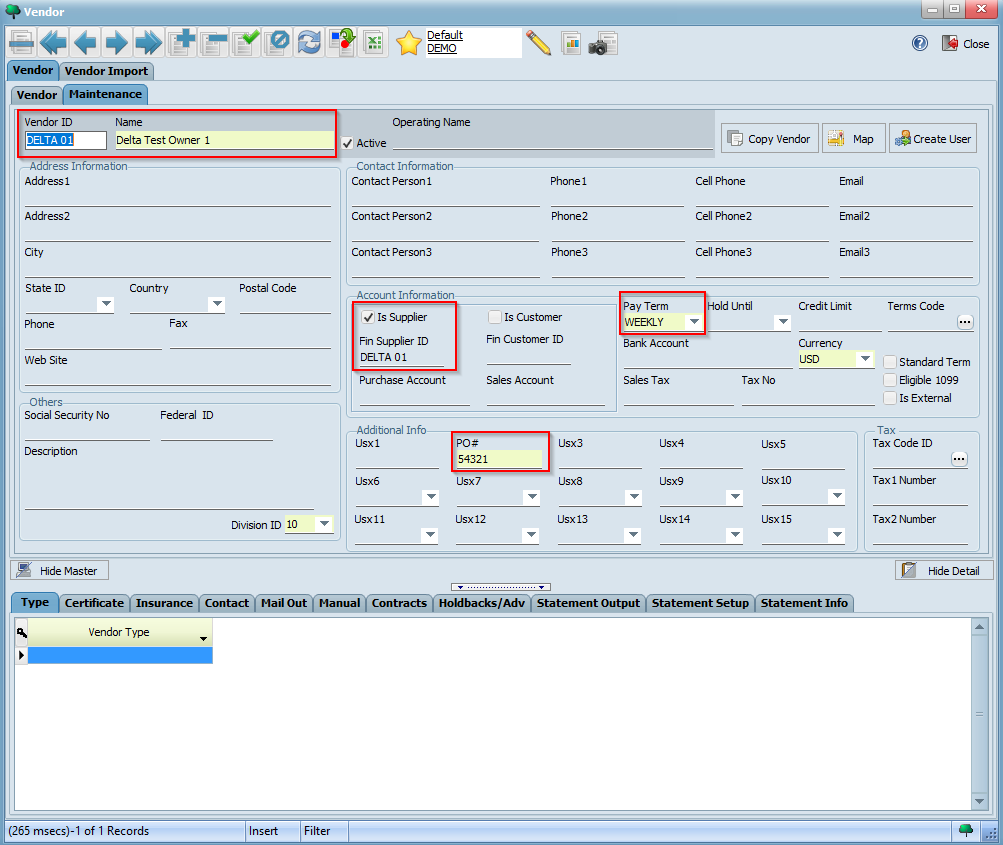
Click the button on the toolbar to save your vendor. Now, set the Vendor Type (under the Type tab on the bottom left hand corner) to LAND_OWNER as shown below:

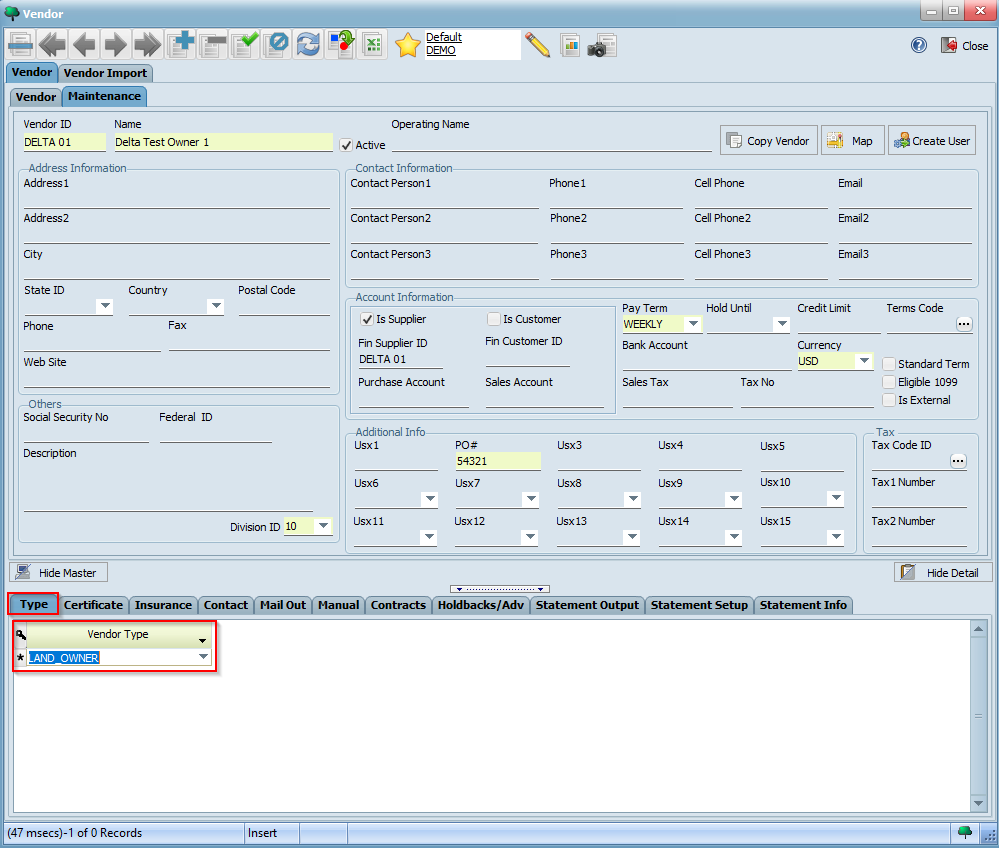
Click the button once again.

We will now create a logger by duplicating the landowner vendor record we just created. Click on the button on the toolbar to duplicate this record. Now, modify the fields below with the values indicated:

Click the button to save your logger. Set the Vendor Type under the Type tab to LOGGER:

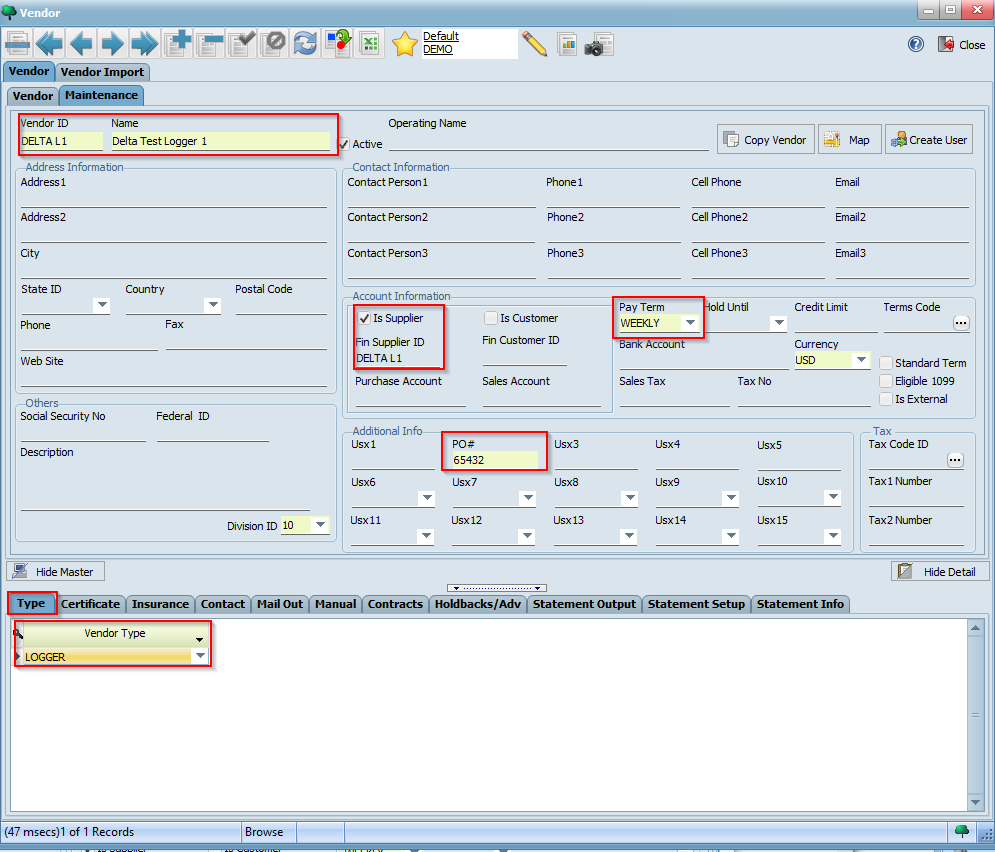
Click the button once again.

We will now duplicate our logger record to create a hauler. Use the button on the toolbar to make a copy of the logger record and modify the fields below with the values indicated:

Click the button to save your hauler. Set the Vendor Type under the Type tab to HAULER:

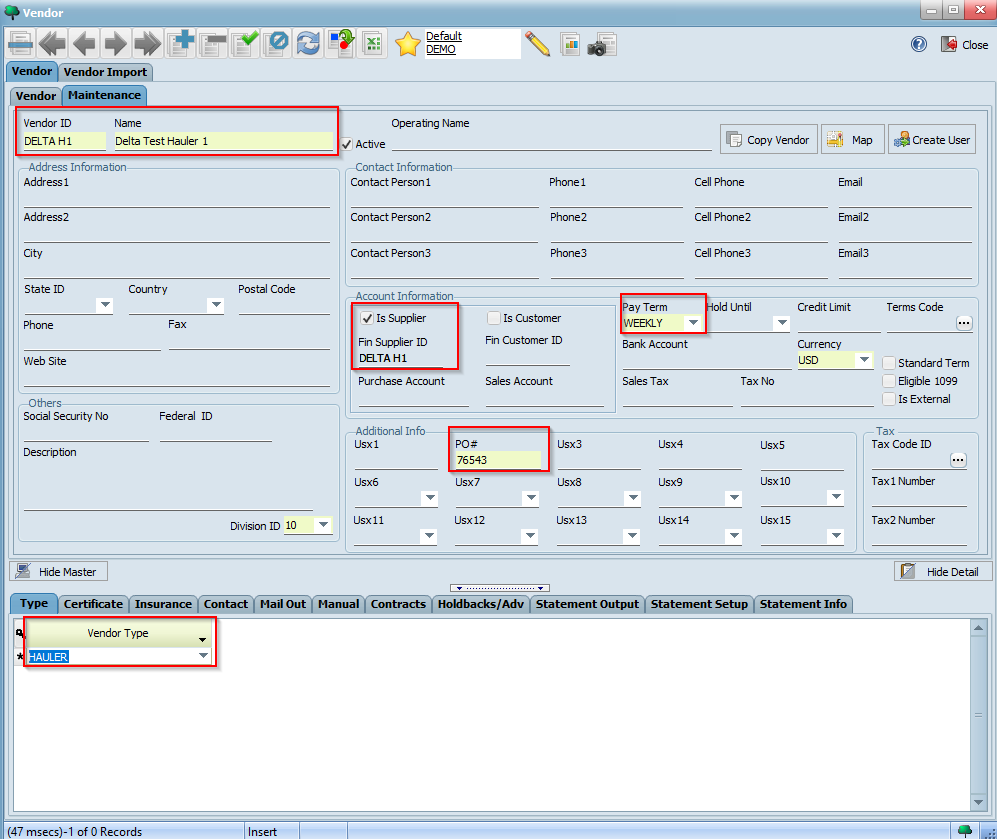
Click the button once again. We've now created a landowner, logger, and hauler.
