You can view loads that have synchronized from WeighWiz to LIMS by clicking on the Loads button under the Delivery menu:

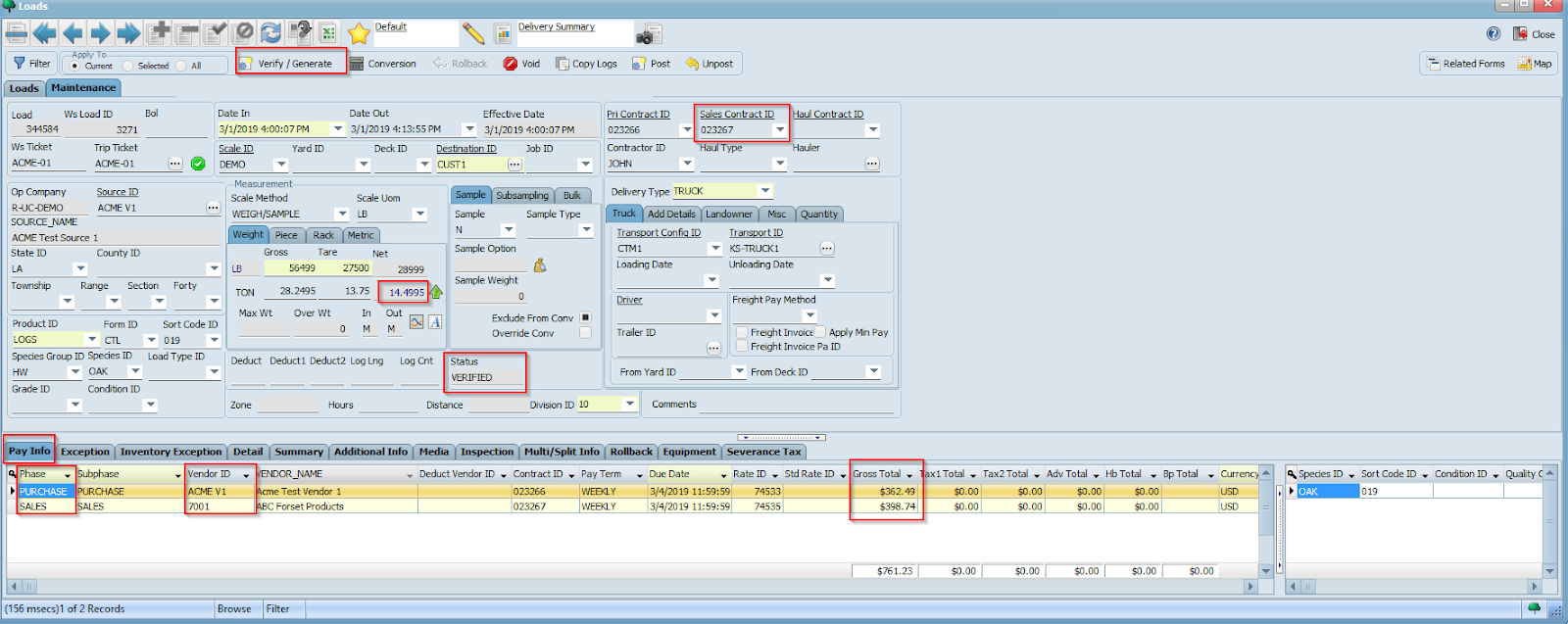
You will now see a listing of loads in your system. Locate the load you created in WeighWiz and click on the Maintenance tab to see a detailed view of it. If your system is set to automatically validate loads, then those that have been successfully validated have a status of VERIFIED and payment information will be displayed under the Pay Info tab. Otherwise, they will have a status of NOT_VERIFIED and errors will be displayed under the Exception tab. You must systematically troubleshoot and resolve these errors before your loads will verify and you can proceed with settlement.
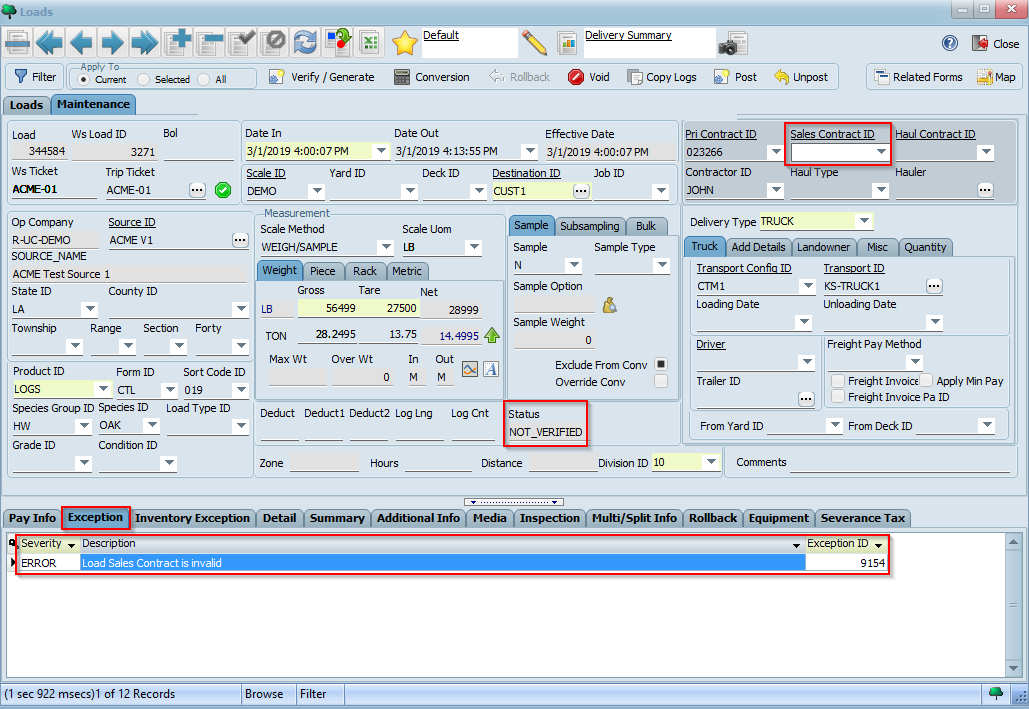
Observe how our load has a status of NOT_VERIFIED and there is an error about an invalid sales contract. It appears we neglected to create a sales contract and the field is empty:
To resolve this error, we will create a sales contract (similar to our ROUNDWOOD PURCHASE contract) linked to our ACME V1 source. We will, however, use a rate of $27.50 per ton and our sales vendor id will be 7001 (ABC Forest Products). Once this contract is associated to this load, we can click on the Verify / Generate button along the top to see if the error now goes away. (It is possible that other errors may pop up at this stage in which case they too need to be resolved). Once all errors are resolved, the status changes to VERIFIED and we can see payment information under the Pay Info tab. As you can see below, payment is based on net tons based on the rates we used ($25 per ton for the purchase contract and $27.50 per ton for the sales contract).